Sage 50 vs Sage Accounting: Desktop or Cloud — Which to Choose?
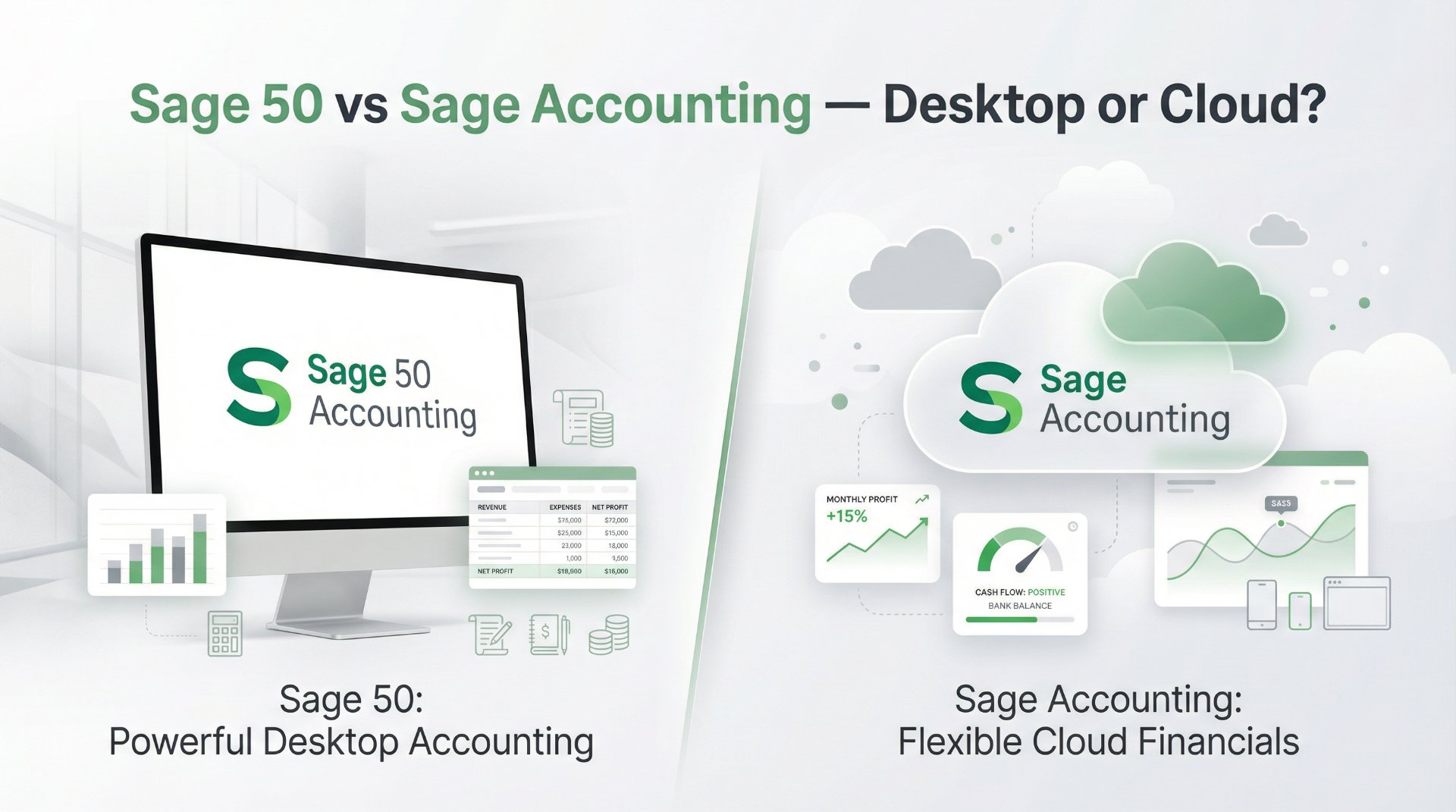
Sage offers two distinct accounting products for UK small businesses, and the choice between them is one of the most important software decisions a growing company can make. Sage Accounting is a fully cloud-based platform designed for speed, simplicity, and remote accessibility. Sage 50 is a powerful desktop application with cloud connectivity, built for businesses that need advanced features like inventory management, job costing, and multi-company accounting. They share the Sage name and philosophy, but they serve different needs in fundamentally different ways.
This is not a question of which product is better in absolute terms. It is a question of which product fits the way your business actually operates. A sole trader sending invoices from a laptop needs different tools than a wholesale distributor tracking hundreds of stock items across multiple warehouses. A freelancer working from coffee shops needs different infrastructure than a construction firm running job costing across dozens of active projects.
This guide compares Sage 50 and Sage Accounting across the areas that matter most: pricing, features, deployment, payroll, compliance, scalability, and everyday usability. The goal is to help UK business owners choose the right Sage product with confidence rather than discovering the wrong fit six months after committing.
The core difference: architecture
Before comparing features or pricing, it helps to understand the fundamental architectural difference between the two products. Sage Accounting is a cloud-native application. It runs entirely in a web browser. There is nothing to install, no local data to manage, and no dependency on a specific computer. Your accounts live on Sage's servers and are accessible from any device with an internet connection.
Sage 50 is a desktop-first application with cloud connectivity. The software is installed on a Windows PC, and your accounting data is stored locally on that machine or a local network. Cloud features — including remote data access, automatic cloud backups, and Microsoft 365 integration — extend the desktop experience, but the core processing power runs on your hardware. That local processing means Sage 50 can handle larger data volumes with less latency than a browser-based tool.
This distinction shapes everything else. Cloud-native means instant access from anywhere, automatic updates, and zero IT maintenance. Desktop-first means more processing power, larger data capacity, more advanced features, and the ability to work without an internet connection. Neither approach is universally superior. The right one depends on your operational priorities.
At a glance
Sage Accounting (Cloud)
Best for sole traders, freelancers, and small businesses that want a lightweight, accessible, cloud-first accounting experience with built-in payroll, AI-powered insights through Sage Copilot, and the ability to work from anywhere without installing software. Plans from £18 to £59 per month.
Sage 50 (Desktop + Cloud)
Best for established small to medium businesses with in-house bookkeepers who need advanced inventory management, job costing, purchase order processing, multi-company accounting, and the processing power to handle high transaction volumes. Plans from £84 to £169+ per month.
Pricing: what each product costs
There is a significant price difference between the two products, which reflects the difference in capability and target audience. Sage Accounting is priced for small businesses and sole traders. Sage 50 is priced for more established operations that need deeper functionality.
| Plan | Sage Accounting (Cloud) | Sage 50 (Desktop + Cloud) |
|---|---|---|
| Entry plan | Start — £18/mo | Standard — from £84/mo (1 user, 2 companies) |
| Mid-tier | Standard — £39/mo | — |
| Top-tier | Plus — £59/mo | Professional — from £169/mo (1 user, 10 companies) |
| Multi-user cost | Included (varies by plan tier) | Professional: 5 users £178.50/mo, 10 users £187.50/mo, 20 users £200/mo |
| Payroll | Included on all plans — no extra cost | Sage 50 Payroll available as integrated add-on |
| AI Document Capture | 30 captures (Standard), 100 (Plus) | 50 captures (Standard), 75 (Professional) |
| Sage Copilot | 1 user (Start/Standard), unlimited (Plus) | 1 user (Standard/Professional), additional users available |
| Contract | Monthly, cancel anytime | No long-term contracts, monthly subscription |
The pricing gap is substantial. Sage Accounting's full-featured Plus plan costs £59 per month. Sage 50 Standard starts at £84 per month for a single user, and Professional begins at £169 per month. For businesses that genuinely need Sage 50's advanced capabilities, the investment is justified. For businesses whose needs are well served by cloud accounting, paying for Sage 50 would mean paying for power they do not use.
Features: where Sage 50 goes deeper
The feature gap between Sage 50 and Sage Accounting is not about quality. Both products are well built. The gap is about depth and specialisation. Sage 50 includes capabilities that Sage Accounting was never designed to offer, because they serve a different type of business.
| Feature | Sage Accounting (Cloud) | Sage 50 (Desktop + Cloud) |
|---|---|---|
| Invoicing | Custom invoicing, recurring invoices, auto-reminders, online payment acceptance. | Full invoicing plus sales order processing, credit note management, and batch invoicing. |
| Bank reconciliation | Automatic bank feeds, smart matching, AI-assisted categorisation. | Bank feeds plus manual reconciliation tools for high-volume transaction matching. |
| Inventory management | Basic stock tracking on Plus plan only. | Advanced inventory with stock control, multiple pricing levels, units of measure, real-time stock updates, and reorder alerts. |
| Purchase orders | Not available. | Full purchase order processing with approval workflows and supplier management. |
| Job and project costing | Basic project tracking. | Detailed job costing with phases, cost codes, profitability tracking, and job-specific reporting. |
| Multi-company | Single company per subscription. | Standard: 2 companies. Professional: up to 10 companies. |
| Multi-user access | Varies by plan (1 to unlimited Copilot users). | Standard: up to 2 users. Professional: up to 20 users on local network. |
| Financial reporting | Standard reports: P&L, Balance Sheet, Cash Flow, Aged Debtors/Creditors. | Advanced reports with customisable layouts, departmental reporting, budget analysis, and audit trail. |
| VAT and MTD | Full MTD compliance, multiple VAT schemes, CIS (Standard+). | Full MTD compliance, multiple VAT schemes, CIS, advanced VAT reporting. |
| AI features | Sage Copilot — proactive insights, task automation, natural-language queries. | Sage Copilot — same AI capabilities applied to desktop data. AI Document Capture for supplier invoices. |
| Data access | 100% cloud. Access from any browser, any device, anywhere. | Desktop-first with Remote Data Access via Microsoft 365 for working away from the office. |
| Offline capability | Requires internet connection at all times. | Works fully offline. Internet needed only for bank feeds, cloud backup, and remote access. |
Accessibility and remote working
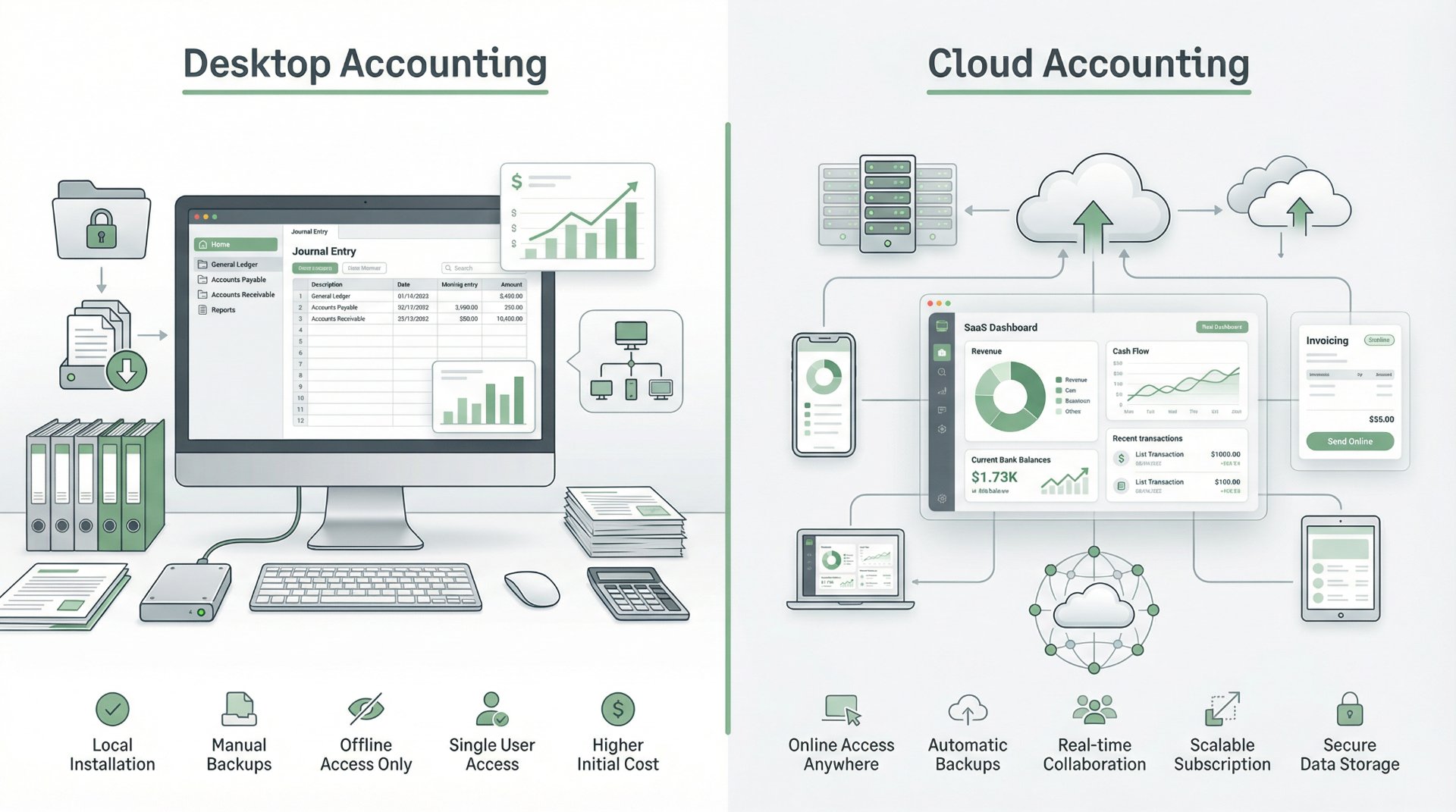
This is where Sage Accounting has a clear structural advantage. Because it runs entirely in the cloud, Sage Accounting can be accessed from any device with a web browser — a laptop at home, a tablet on the train, a phone between meetings. There is nothing to install, nothing to update manually, and no dependency on a specific machine. For business owners who work across multiple locations or want their accountant to have real-time access to the books, cloud-native accessibility is a genuine operational advantage.
Sage 50 is primarily a desktop application, which means the core software runs on a specific Windows PC. However, Sage has added meaningful cloud connectivity over the years. Remote Data Access through Microsoft 365 allows users to view their accounts remotely. Automatic cloud backups ensure data is safely stored offsite. Sage Capture allows receipt scanning from a mobile device. These features extend Sage 50's reach beyond the desktop, but they do not fully replicate the anywhere-access experience of a native cloud application.
For businesses where the bookkeeper works in a fixed office on a dedicated PC, Sage 50's desktop model is not a limitation — it is actually a strength, offering faster processing and the ability to work without an internet connection. For businesses where mobility and flexible access are non-negotiable, Sage Accounting's cloud-native architecture is the better fit.
Inventory, job costing, and purchase orders
These three features represent the clearest capability gap between the two products, and they are the primary reason many businesses choose Sage 50 over Sage Accounting.
Inventory management
Sage 50 offers comprehensive inventory management with real-time stock tracking, multiple pricing levels, units of measure, reorder point alerts, and full integration with purchasing and sales. It computes and tracks costs and quantities on a daily basis, making it suitable for wholesale, retail, and manufacturing businesses that manage physical products. Sage Accounting offers basic stock tracking on the Plus plan, but it is not designed for businesses where inventory management is a core operational need.
Job and project costing
Sage 50 allows businesses to set up job records with phases and cost codes, track job costs through purchasing, inventory, and payroll, and run detailed job profitability reports. This is essential for construction firms, agencies, consultancies, and any business that needs to track profitability at the project level rather than just the company level. Sage Accounting offers basic project tracking, but not the granular cost-code level detail that Sage 50 provides.
Purchase order processing
Sage 50 includes full purchase order management with approval workflows, supplier management, and integration with inventory and accounts payable. This allows businesses to control purchasing processes formally rather than relying on informal email-based ordering. Sage Accounting does not include purchase order functionality, which is appropriate for its target audience of simpler businesses but a limitation for operations that need procurement discipline.
Payroll and compliance
Both products support UK payroll, but the delivery method differs. Sage Accounting includes a full payroll module built directly into every plan at no additional cost. It handles RTI submissions, auto-enrolment pensions, statutory payments, and year-end compliance — all from within the cloud accounting interface.
Sage 50 offers payroll through Sage 50 Payroll, which integrates directly with Sage 50 Accounts so that payroll data flows seamlessly into the accounting records. When you add Sage 50 Payroll alongside Sage 50 Accounts, journal entries, tax liabilities, and pension contributions are automatically posted, eliminating manual re-entry and reducing errors. For businesses already using Sage 50 Accounts, this integration creates a tightly connected financial system.
Both products are fully Making Tax Digital compliant for VAT. Both support multiple VAT schemes including Standard, Flat Rate, and Cash Accounting. Both handle Construction Industry Scheme returns. The compliance experience is equally strong on both products because both draw on Sage's 40-plus years of HMRC integration experience. The difference is simply whether you prefer payroll inside a cloud interface or payroll integrated with a desktop accounting system.
AI and Sage Copilot
Both Sage Accounting and Sage 50 now include Sage Copilot, the AI-powered productivity assistant that monitors business data, surfaces insights, flags anomalies, and automates routine tasks. The experience is similar on both products — Copilot learns from your accounting data and proactively helps you stay organised, informed, and efficient.
Both products also include AI Document Capture, which uses artificial intelligence to extract data from supplier invoices and receipts, reducing manual entry. Sage Accounting offers 30 captures per month on Standard and 100 on Plus. Sage 50 offers 50 captures on Standard and 75 on Professional, with additional captures available on both products.
The important point is that choosing Sage Accounting does not mean missing out on AI capabilities, and choosing Sage 50 does not mean being left behind on innovation. Sage has committed to bringing Copilot and AI-powered features to both products, ensuring that the choice between desktop and cloud does not become a choice between modern and legacy.
Scalability and growth paths
Both products offer clear paths for growth, but they point in different directions. Sage Accounting scales upward through its own plan tiers — Start to Standard to Plus — with each tier adding features like CIS, more receipt captures, multi-currency, and inventory. Beyond Sage Accounting, businesses can graduate into Sage 200 or Sage Intacct for more sophisticated mid-market financial management.
Sage 50 scales through its Standard and Professional tiers, adding more users (up to 20), more companies (up to 10), and more advanced features at each level. For businesses that outgrow even Sage 50 Professional, the natural progression is into Sage 200 for multi-entity, multi-location operations with departmental analysis and consolidated reporting.
The two products share the broader Sage ecosystem as their long-term growth destination, which means neither choice locks you into a dead-end. However, the migration path is different. Moving from Sage Accounting to Sage 200 involves a platform change from cloud to hybrid. Moving from Sage 50 to Sage 200 is a more natural desktop-to-desktop evolution. Consider where your business is likely to be in three to five years when making this decision.
Which product fits which business
Choose Sage Accounting if your business
- Is a sole trader, freelancer, or small company with straightforward accounting needs
- Wants cloud-first access from any device, anywhere, without installing software
- Needs built-in payroll included at no extra cost on every plan
- Sends invoices, tracks expenses, reconciles bank transactions, and files VAT returns
- Does not need advanced inventory management, purchase orders, or job costing
- Wants the lowest possible monthly cost for professional-grade accounting software
- Works with an accountant remotely and wants real-time shared access
- Values simplicity and speed over depth and advanced configuration
Choose Sage 50 if your business
- Has an in-house bookkeeper or accounts team that works from a fixed office
- Needs advanced inventory management with stock control, pricing levels, and reorder alerts
- Requires job costing with phases, cost codes, and project-level profitability reporting
- Manages purchase orders with approval workflows and formal procurement processes
- Operates multiple companies and needs multi-company accounting in a single installation
- Processes high transaction volumes and needs the speed of desktop-based data processing
- Needs to work offline without depending on an internet connection
- Wants advanced, customisable financial reports with departmental analysis and audit trails
- Operates in construction, wholesale, distribution, or manufacturing
Common misconceptions
There are several misconceptions that can lead businesses to choose the wrong product. It is worth addressing the most common ones directly.
The first misconception is that Sage 50 is outdated because it runs on a desktop. This is incorrect. Sage 50 is actively developed, regularly updated, and now includes cloud connectivity, Sage Copilot AI, and AI Document Capture. It is a modern product delivered through a desktop architecture, which is a deliberate design choice for performance and capability rather than a sign of neglect.
The second misconception is that Sage Accounting is too basic for a real business. This is also incorrect. Sage Accounting handles invoicing, bank reconciliation, payroll, VAT, CIS, multi-currency, and inventory tracking. For the majority of UK small businesses, these capabilities are more than sufficient. It is only basic relative to Sage 50's specialist features like job costing and purchase orders.
The third misconception is that switching between the two products later is simple. While it is possible to migrate from Sage Accounting to Sage 50 or vice versa, it involves data conversion, workflow changes, and a learning curve. It is significantly easier to choose the right product from the start than to switch mid-stream. Take the time to evaluate your actual needs honestly before committing.
Final perspective
Sage 50 and Sage Accounting are both excellent products built by the same company with the same commitment to UK compliance, reliability, and continuous innovation. They are not competitors — they are complements designed for different business stages and different operational needs.
If your business is built around sending invoices, tracking income and expenses, reconciling bank accounts, running payroll, and filing tax returns — and you want to do all of that from anywhere on any device — Sage Accounting is the right choice. It is fast, affordable, cloud-native, and increasingly powerful with Sage Copilot AI driving smarter workflows.
If your business needs to manage physical inventory, track project profitability, process purchase orders, run multi-company accounts, or handle high transaction volumes with the reliability of desktop processing — Sage 50 is the right choice. It delivers the depth and power that complex operations demand, with enough cloud connectivity to keep you flexible.
Both products include Sage Copilot. Both are MTD compliant. Both sit within the broader Sage ecosystem. The question is simply: does your business need the speed of the cloud, or the depth of the desktop? Answer that honestly, and the right product chooses itself.